
Everything you need to plan the day and finish the project
Included in both ProjectBright Starter ($14.99/mo) and ProjectBright Pro ($29.99/mo).
Inbox, Today, Upcoming & Focus Views
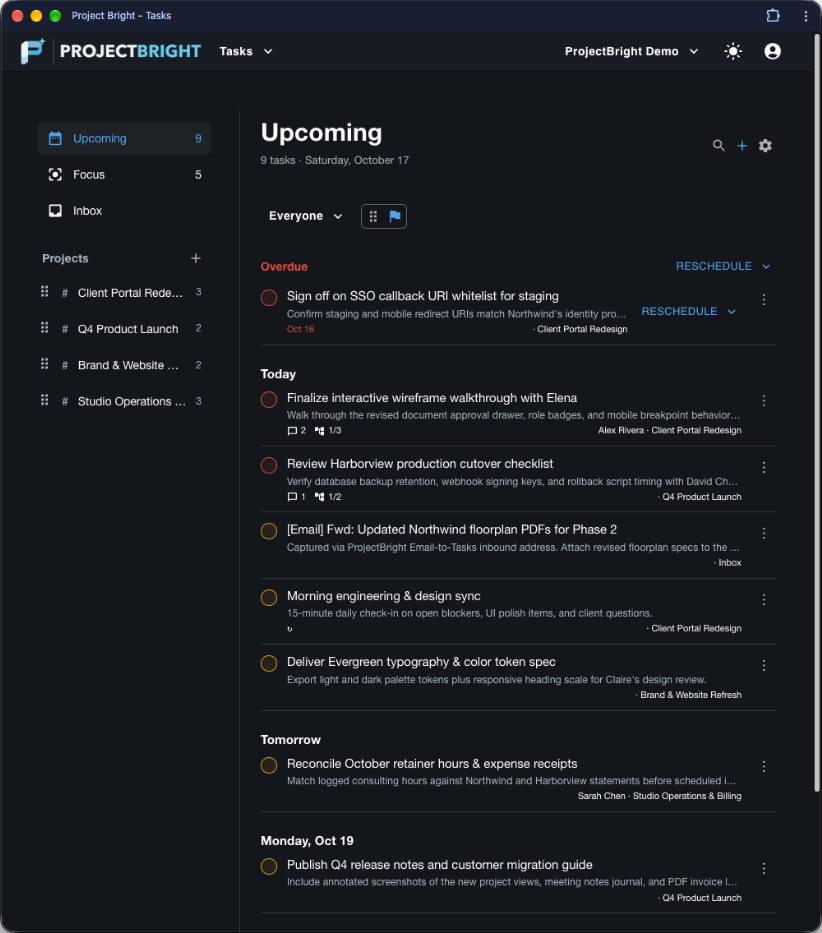
Triage unscheduled items in your Inbox, work from a clean Today list with overdue rollups, look ahead 7 days in Upcoming, or star critical items into your Focus view.
Smart Phrase Date & Recurrence Parsing
Type phrases like 'tomorrow', 'next mon', 'every weekday', 'every 2 weeks', or 'last day of month' directly in the task title—ProjectBright highlights and schedules them automatically.
Subtasks, Priorities & Discussion Threads
Break complex deliverables into reorderable subtasks, assign P1/P2/P3 priority levels, delegate to workspace members, and attach files or photos to task comments.
One-Click Overdue Rescheduling
When priorities shift, batch-reschedule overdue tasks to Today, Tomorrow, Next Week, or Inbox in a single click without editing items one by one.
Email-to-Tasks Inbound Addresses
Create a unique inbound email address for your Inbox or any project. Forward client requests to turn them into tasks (100 emails/month on Starter, 500 emails/month on Pro).
Android App, Camera & Home-Screen Widget
Review Overdue and Today tasks right from your Android home screen, complete items with one tap, and snap job-site or whiteboard photos straight into a task.
Forward an email. Get an actionable task.
Client requests rarely start in your task manager—they arrive in your inbox. With **Email-to-Tasks** on ProjectBright Starter and Pro: - **Per-Project or Inbox Routing** — Create dedicated forwarding addresses for specific client projects or your general Inbox. - **Instant Control** — Copy, rotate, or disable any inbound address with a single click if your workflow changes. - **Generous Monthly Quotas** — Includes **100 inbound emails/month** on Starter and **500 inbound emails/month** on Pro, with live usage tracking right inside the Tasks toolbar.
Flexible recurrence that remembers your history
Whether a task repeats every weekday, every two weeks, quarterly, or on the last day of every month, ProjectBright records each completion entry before advancing the schedule—so you always have an accurate audit trail.
Connected to Notes, Customers, and Invoicing
Because Tasks, Notes, and Invoicing share the same workspace projects and customer links, you can jump from a project's task list straight to its meeting journal or client invoice in one click.