
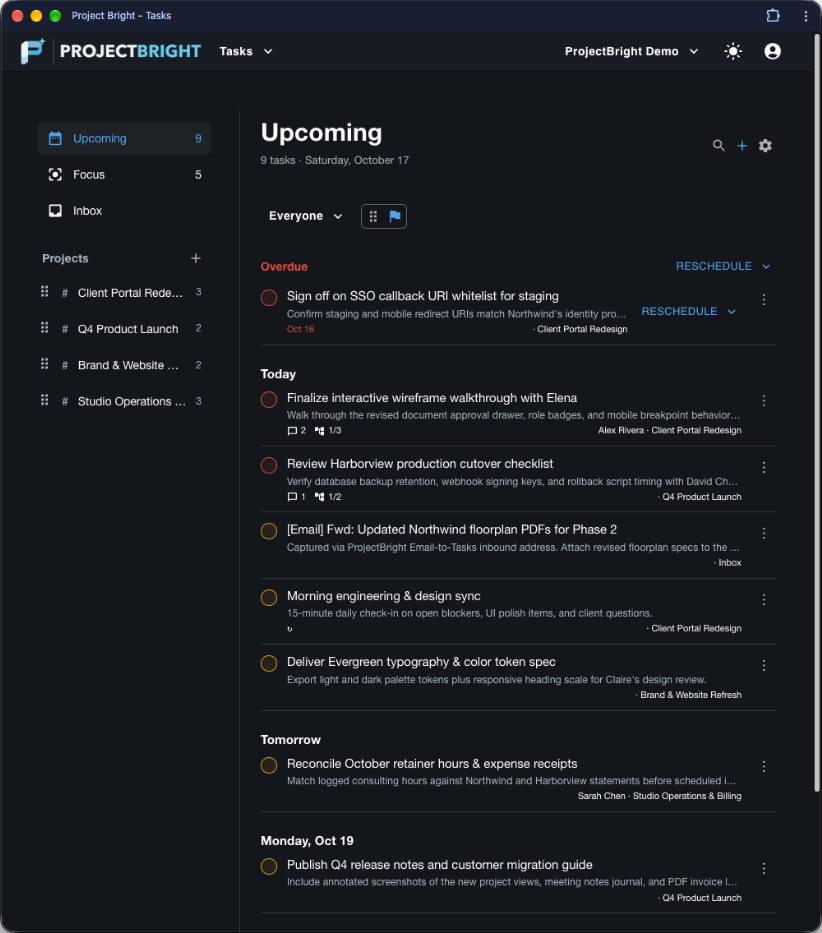
Four connected tools. One shared project model.
Every ProjectBright plan includes the complete four-plugin workspace suite—Tasks, Notes, Customer Directory, and Invoicing—built around shared projects and customer records.
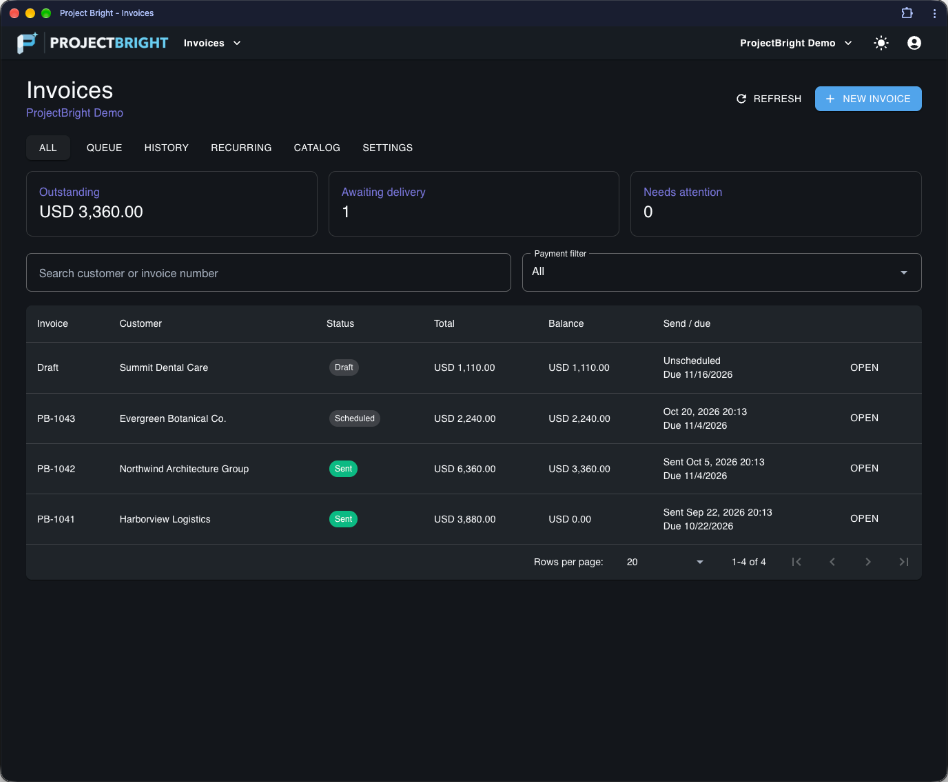
From client project to scheduled PDF invoice in seconds
In most tools, your task board, meeting notes, and client billing live in separate silos. In ProjectBright, a single project links directly to its Customer record, holds all open and completed tasks, and connects seamlessly to your Invoicing catalog and recurring retainer schedules. Receive advance review notices before recurring invoices are emailed, lock immutable PDF snapshots on send, and record ACH or check payments with a full audit trail.
Built for the desk and the field with Android sync
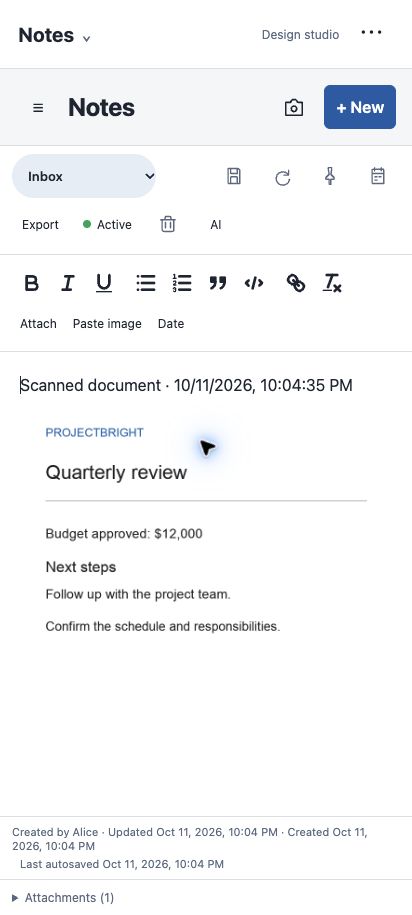
ProjectBright includes a native Android companion experience designed for real client work: - **Home-Screen Task Widget** — View and complete Overdue and Today tasks or jump straight into task creation. - **Multi-Page Document Scanner** — Scan contracts, receipts, and whiteboard sketches with edge detection and perspective cleanup. - **Private On-Device OCR** — Extracted text is indexed privately on your note attachment so you can search inside scanned documents from web or mobile.
Active ProjectBright Plans — Starter vs. Pro
| Capability / Monthly Allowance | ProjectBright Starter ($14.99/mo) | ProjectBright Pro ($29.99/mo) |
|---|---|---|
| 7-Day Free Trial | Included | Included |
| Full 4-App Workspace Suite (Tasks, Notes, Customers, Invoicing) | Included | Included |
| Android App, Document Scanner & Home-Screen Task Widget | Included | Included |
| Email-to-Tasks Inbound Intake (`task-manager.inbound-email`) | 100 emails / month | 500 emails / month |
| Monthly Invoices Sent (Scheduled, Recurring & Immediate) | Up to 15 invoices / month | Up to 150 invoices / month |
| Active Recurring Invoice Schedules | Up to 3 active schedules | Up to 25 active schedules |
| AI Note Organize & Summarize Actions | Up to 25 actions / month | Up to 200 actions / month |
| Workspace Team Members | Up to 3 members | Up to 15 members |
Software we run our own business on
ProjectBright isn't a throwaway prototype. We built it on the AppLaunch platform to run our own daily consulting projects, client notes, customer records, and invoicing—and refined every workflow for speed and clarity.
Practical tools without enterprise bloat
You don't need a six-week onboarding project just to track deliverables, take meeting notes, and send a clean PDF invoice. Sign up, start your 7-day trial on Starter or Pro, and have your workspace running in minutes.